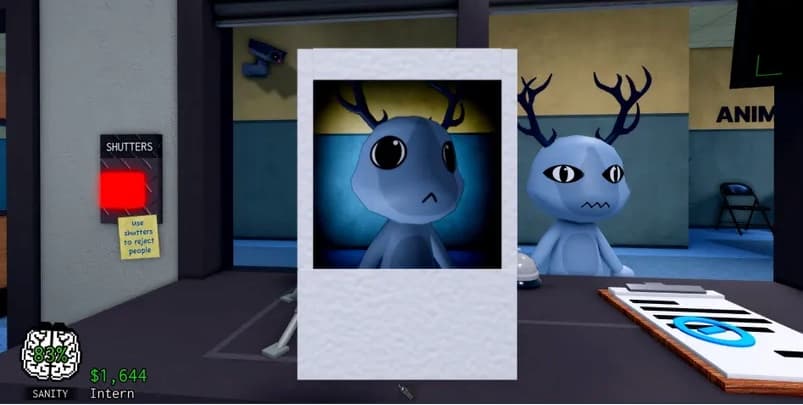
 01Photo evidence
Different Eyes
The developed photo shows eyes that do not match the patient at the window.
View guide
PHOTO EVIDENCE / FRONT DESK
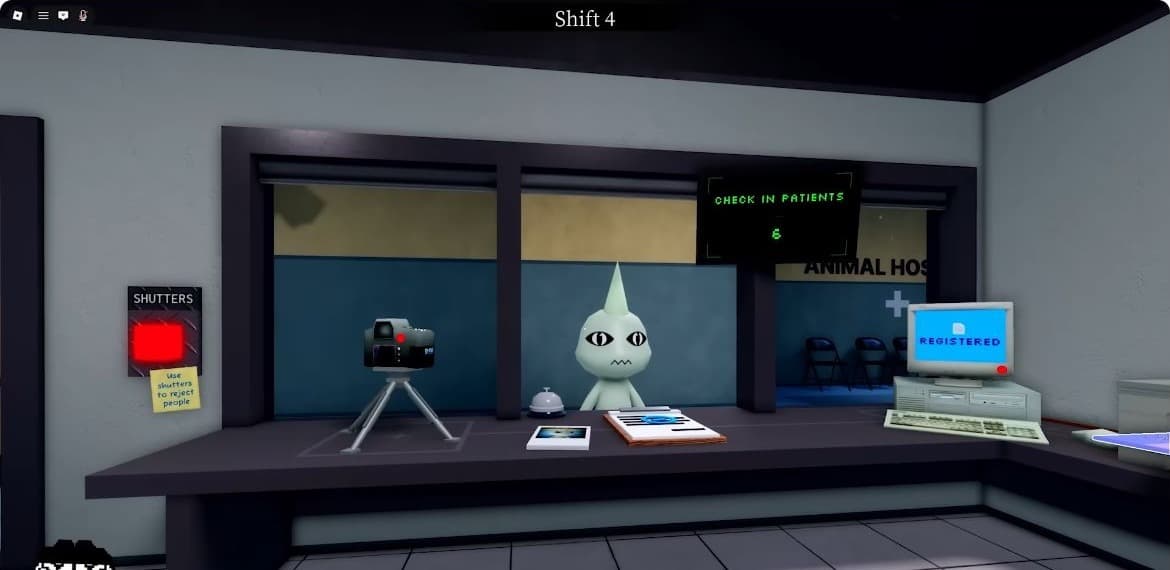
Cursed Photo is the front-desk photo check in Animal Hospital Anomaly. Develop the patient photo, compare it with the animal at the window, and use the mismatch to find photo-confirmed anomalies.
VISUAL INDEX / 01
Browse the anomalies confirmed through the developed patient photo. Open a card for the visual clues, comparison notes, and handling steps.
01Photo evidenceThe developed photo shows eyes that do not match the patient at the window.
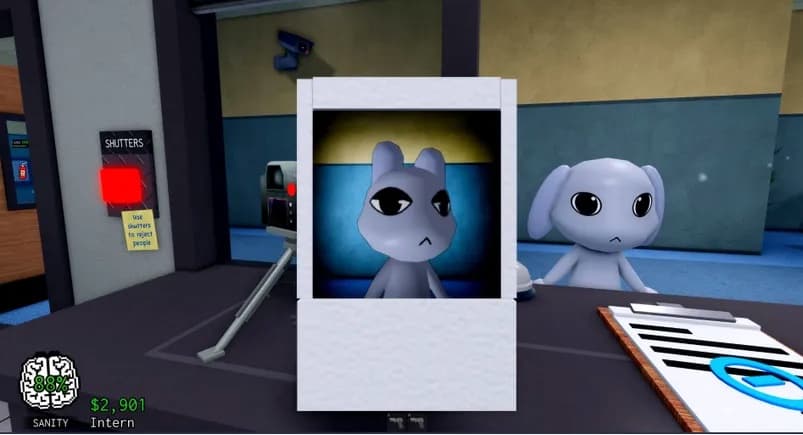 02Photo evidence
The ears in the developed photo differ from the live patient’s ears.
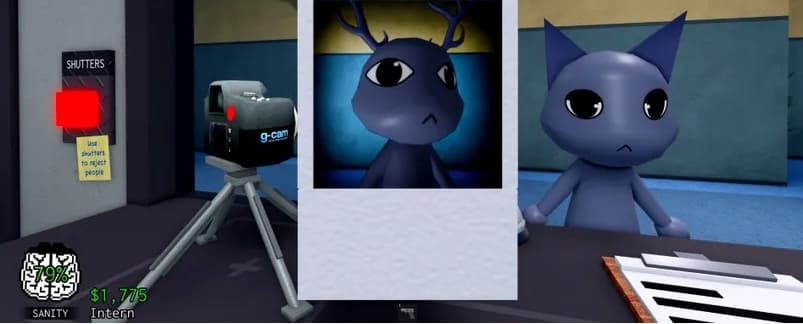 03Photo evidence
The developed photo shows a different animal, color, or overall model.
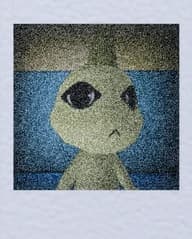 04Photo evidence
Static, grain, or heavy blur prevents the developed photo from showing a normal patient.
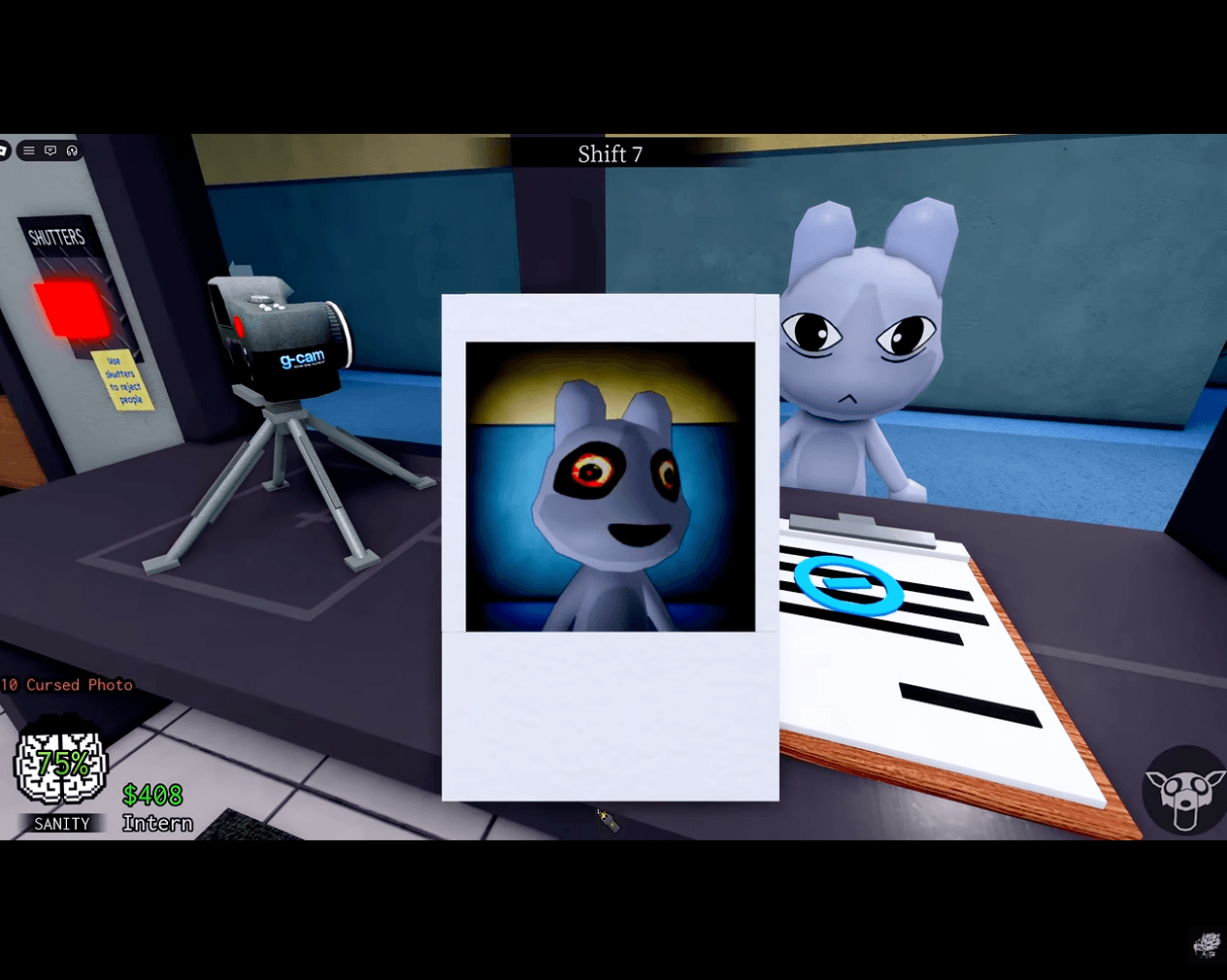 05Photo evidence
The developed photo replaces the patient's normal eyes with glowing red-and-yellow rings.
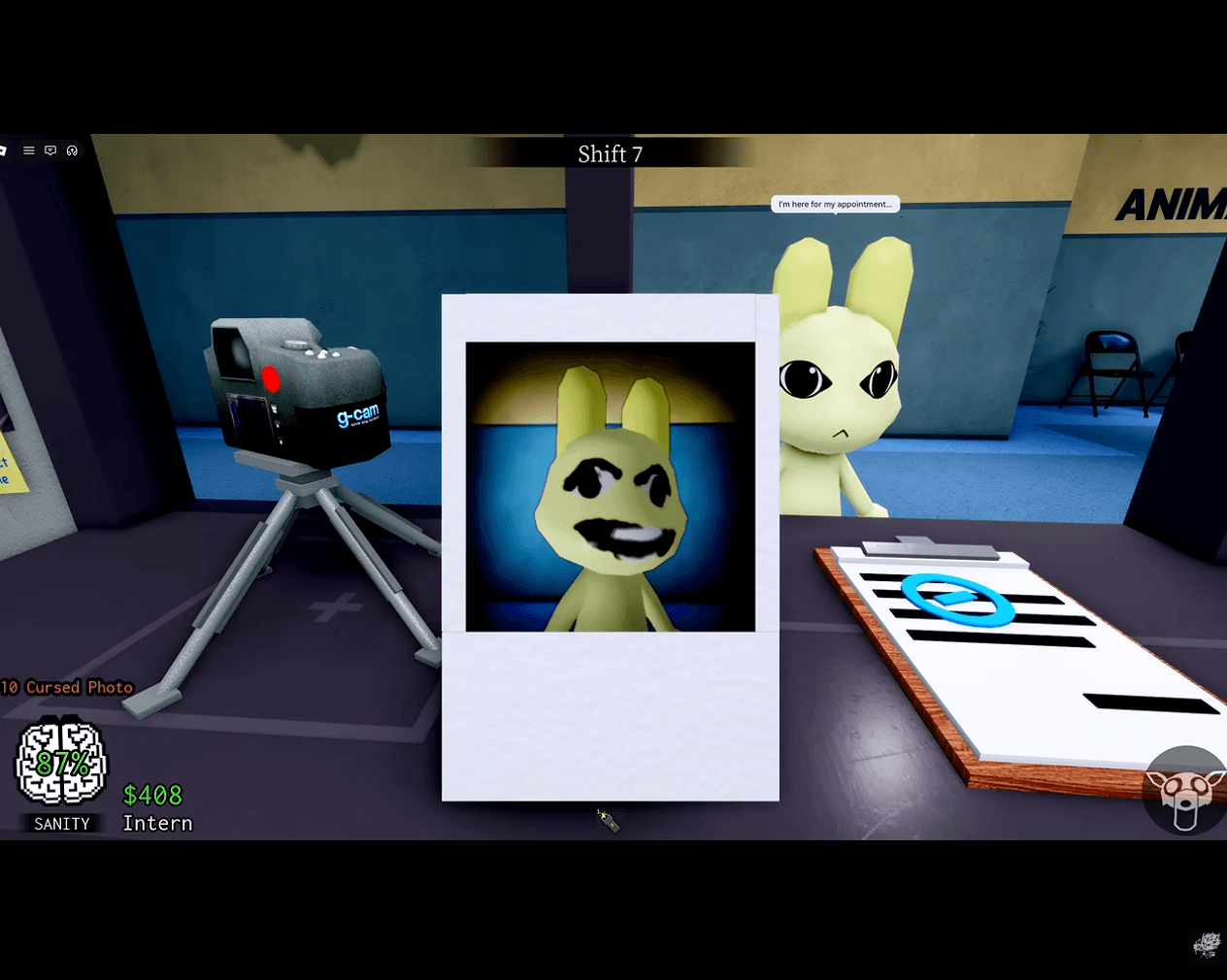 06Photo evidence
A smiling, shadow-like face replaces the patient's normal features in the developed photo.
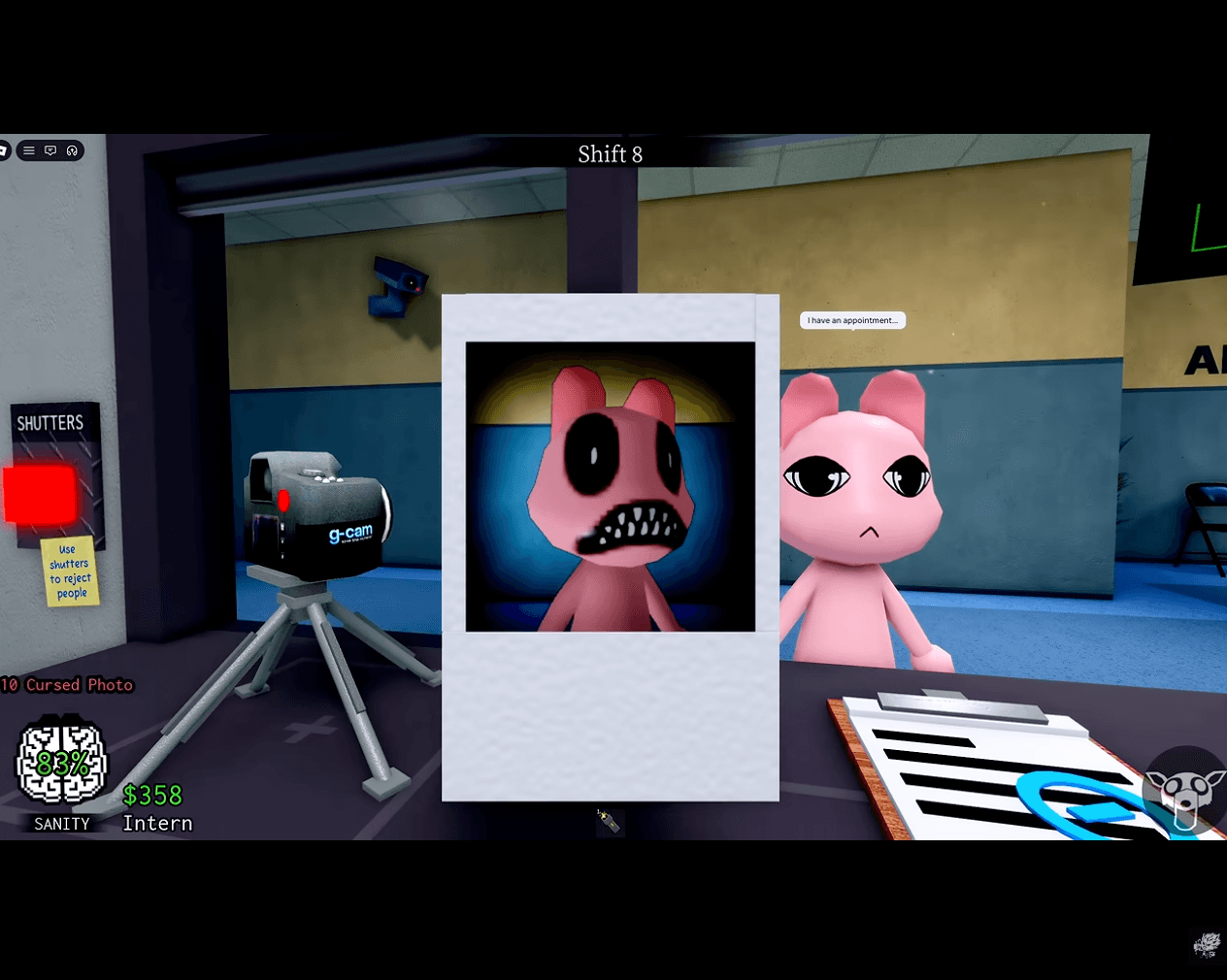 07Photo evidence
The photo shows huge black eyes and a mouth packed with sharp teeth.
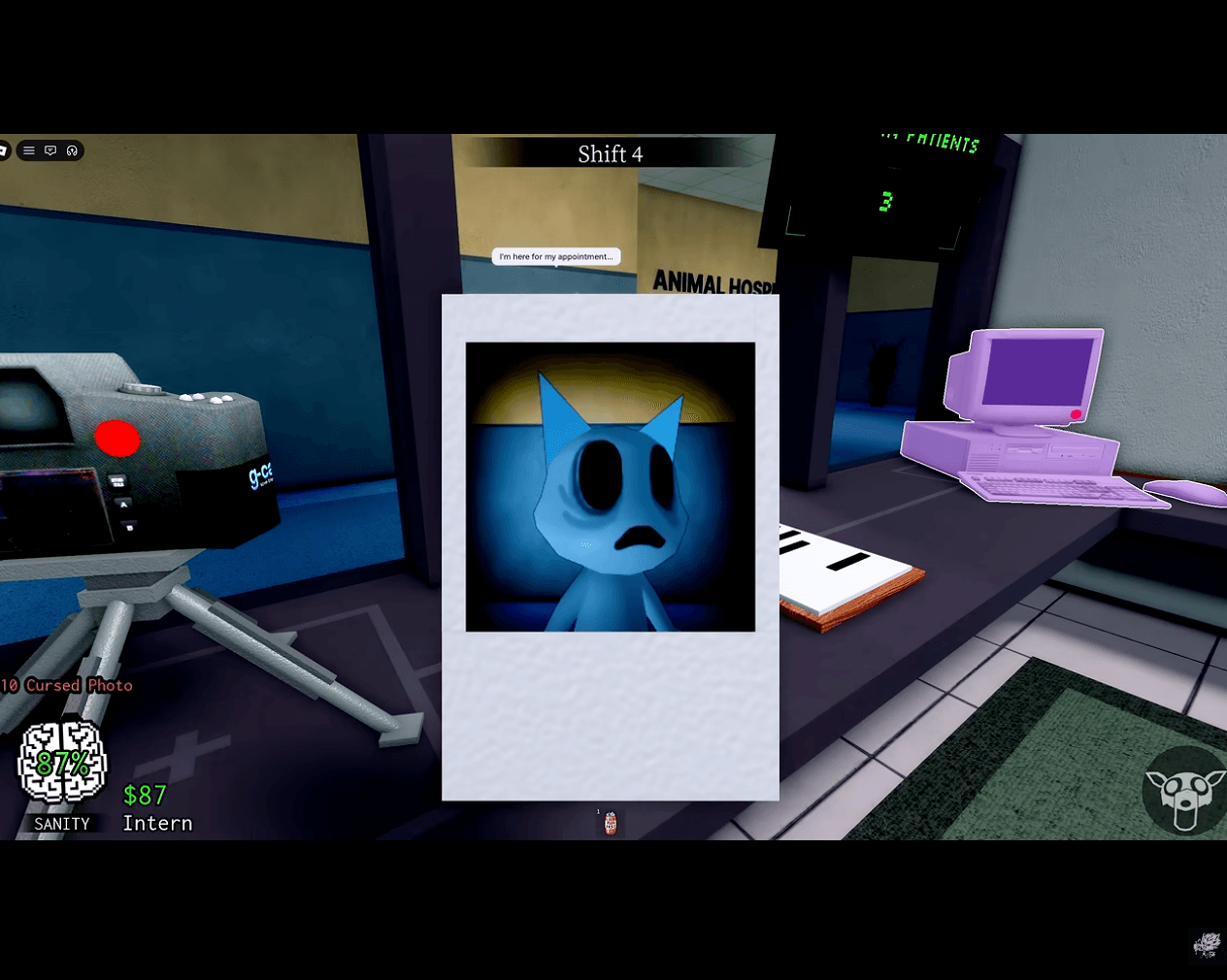 08Photo evidence
The developed photo shows deep empty eye sockets and a downturned mouth.
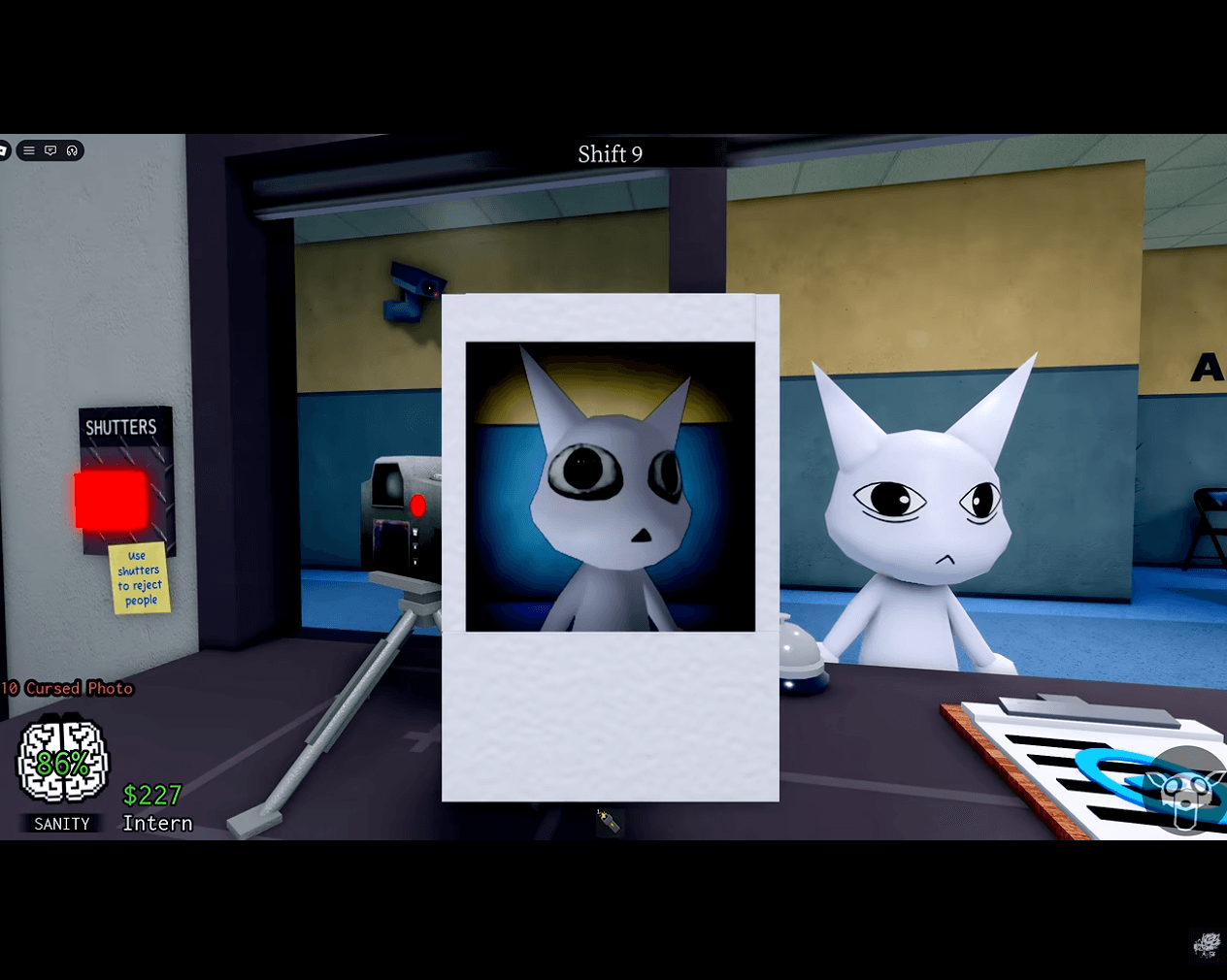 09Photo evidence
The patient's eyes become unnaturally large and round in the developed image.
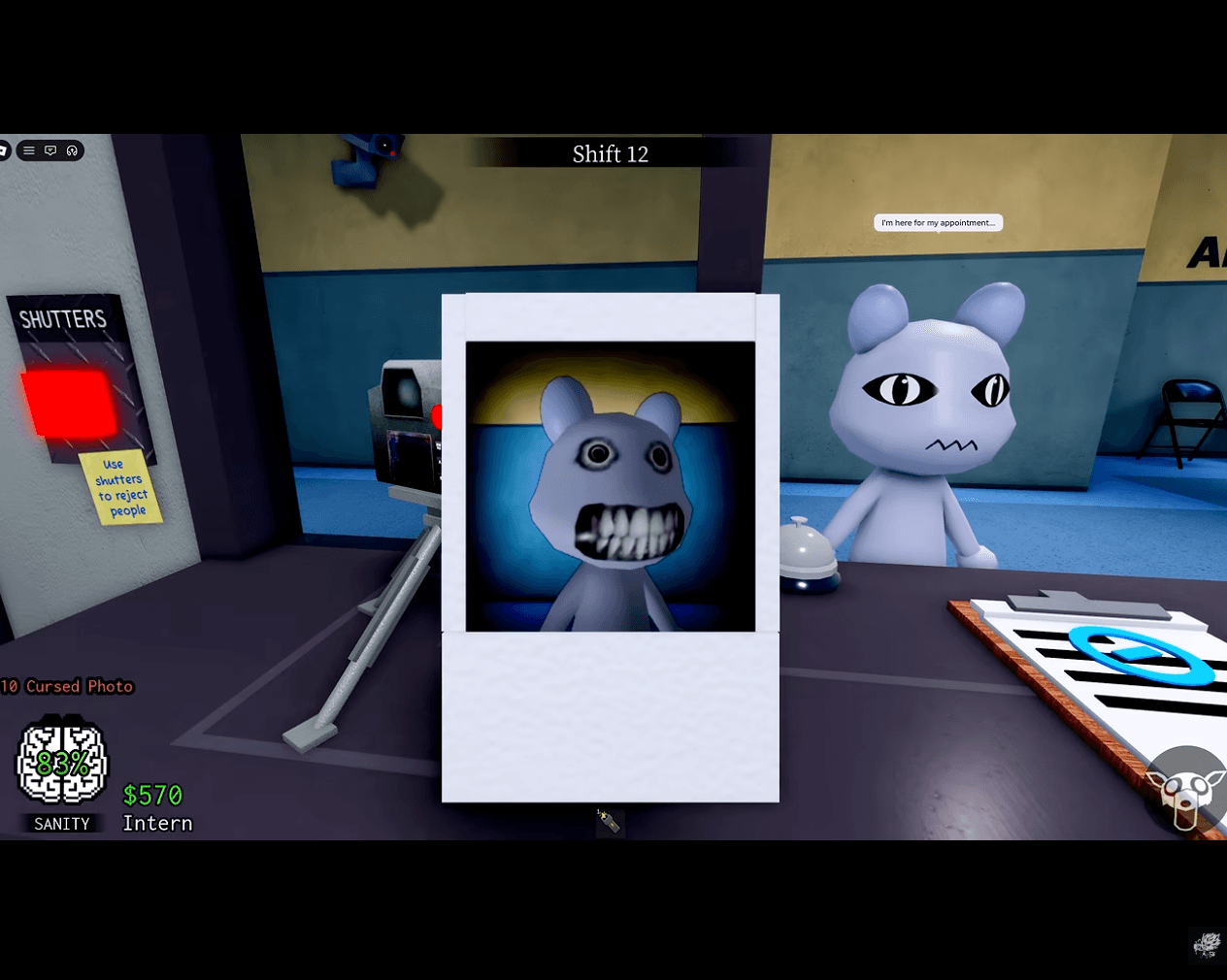 10Photo evidence
A dense row of realistic teeth appears only in the developed patient photo.
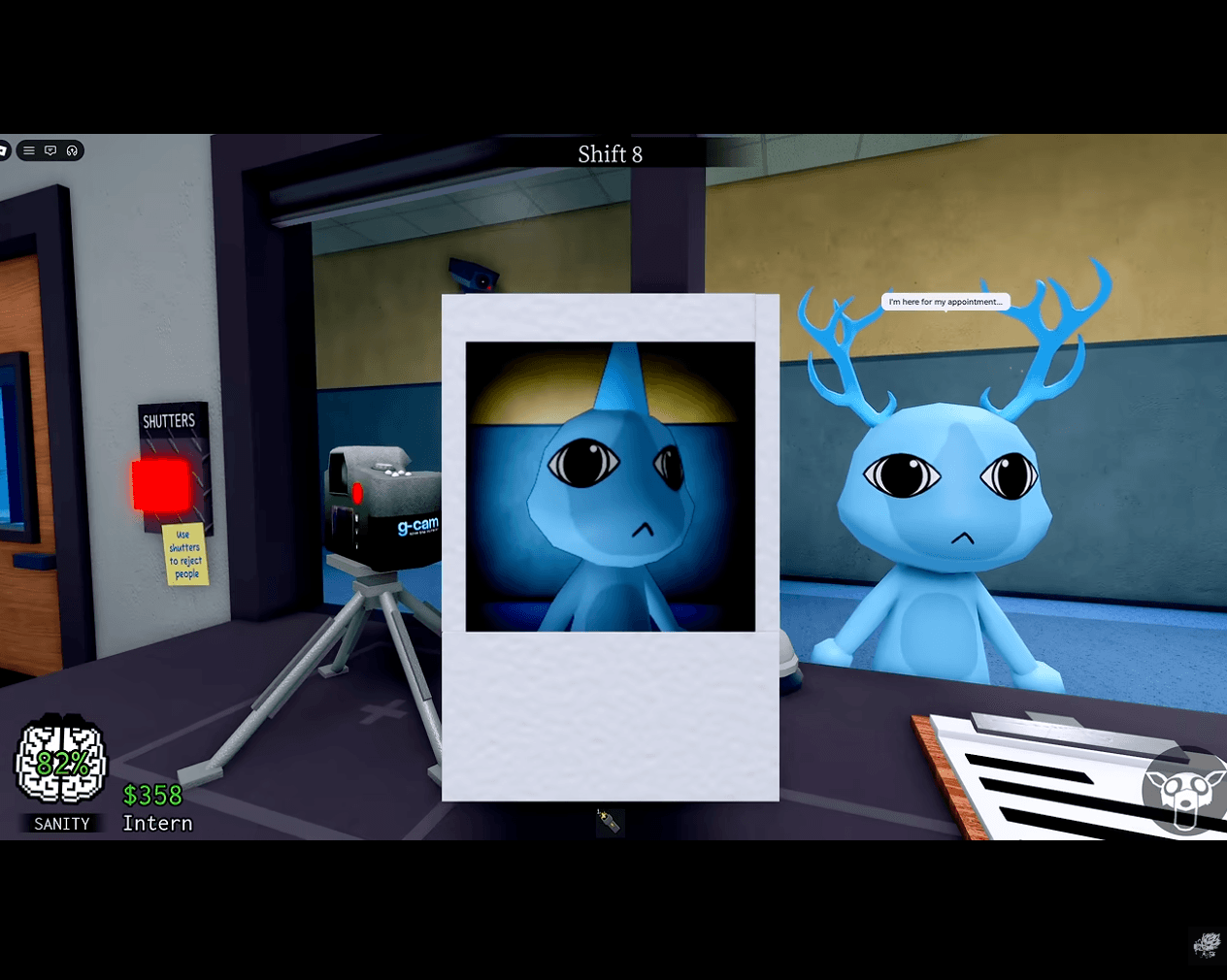 11Photo evidence
The developed photo shows a single horn where the live patient has branching antlers.
 12Photo evidence
The developed face does not match the patient waiting at the window.
 13Photo evidence
The developed image looks unnatural without fitting a simple eye or ear mismatch.
PHOTO CHECK / 02
A cursed photo is not judged from the live patient alone. Wait for the photograph to develop at the front desk, then compare the photographed patient with the animal standing at the window.
Check the eyes, ears, mouth, body shape, color, species, and overall model. A photo anomaly may change one small feature, show a different patient, or cover the image with static. The most reliable clue is a clear mismatch between the developed photo and the live patient.
Develop the photo.
Do not decide from an unfinished image.
Compare both views.
Look for a changed feature or model.
Open the matching guide.
Follow the verified response for that anomaly.
SAFE WORKFLOW / 03
The safest routine separates the photo-processing step from the final anomaly decision. The important mistake to avoid is examining the image before it has finished developing.
Photograph the patient at the front desk and leave the picture on the table. The image needs time to process before it can be used as reliable evidence.
If the photo is still developing, opening it can trigger the Cursed Photo penalty. When the unfinished image is the cursed one, the game can remove 10 Sanity immediately.
Let the photo finish developing, then examine it. A fully developed image can reveal an unnatural animal form, a changed feature, or persistent static that is hidden by a normal-looking patient.
When the developed photo confirms an anomaly, close the front-desk shutters to reject the patient. Do not admit the patient after the photo and live model fail to match.
SANITY RISK / 04
The Cursed Photo penalty is tied to timing, not to taking the photograph. The risky action is examining the cursed image while it is still processing. That is why a player can safely take the photo but lose Sanity by opening the wrong picture too early.
Use the processing time to check the security cameras or observe the room, then return to the desk when the photo is ready. If the thumbnail is already visibly wrong, an experienced player may skip the close inspection and shut the blinds immediately. This avoids opening a mid-processing Cursed Photo altogether.
QUICK ANSWERS / 05
A Cursed Photo is a patient photograph that reveals an unnatural animal form, a visual mismatch, or static after the photo is fully developed at the front desk. It is a photo-confirmed anomaly, not merely a picture that is still loading.
If the photo is the cursed one and you examine it while it is still processing, the game can immediately remove 10 Sanity. Wait for the full reveal, or close the shutters without examining the unfinished photo if its thumbnail is already clearly abnormal.
Take the patient photo, leave it on the desk while it develops, avoid clicking it mid-processing, examine it only after the full reveal, and close the shutters if the image shows an anomaly.
Yes. This is the safer high-level shortcut when the photo thumbnail already looks unnatural. Closing the shutters directly can reject the patient without triggering the penalty for examining a cursed image before it finishes processing.
This collection includes the currently reviewed photo-only records in the site database, including mismatched features, incorrect patient photos, unusual teeth, enlarged eyes, and static images. The set can change as new in-game evidence is verified.
Compare the finished photo with the patient at the window, identify the changed feature or abnormal image, and close the shutters. Use the individual guides above when you need the exact visual cue for a particular photo anomaly.
Static means persistent snow-like interference, grain, or distortion remains in the developed patient photo. Confirm that the processing is complete first, because a temporarily unfinished image is not the same as a verified Static Photo anomaly.